Resonite Mate 2 (desktop side)
- ダウンロード商品¥ 0無料ダウンロードResoniteMate2_20260404.zip(167 KB)ResoniteMate2_20260404.zip
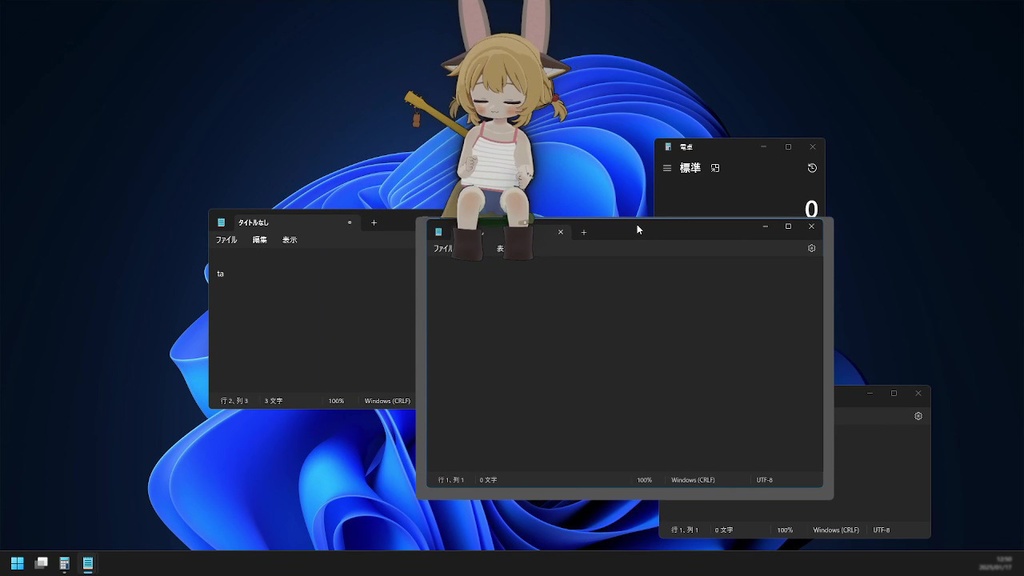
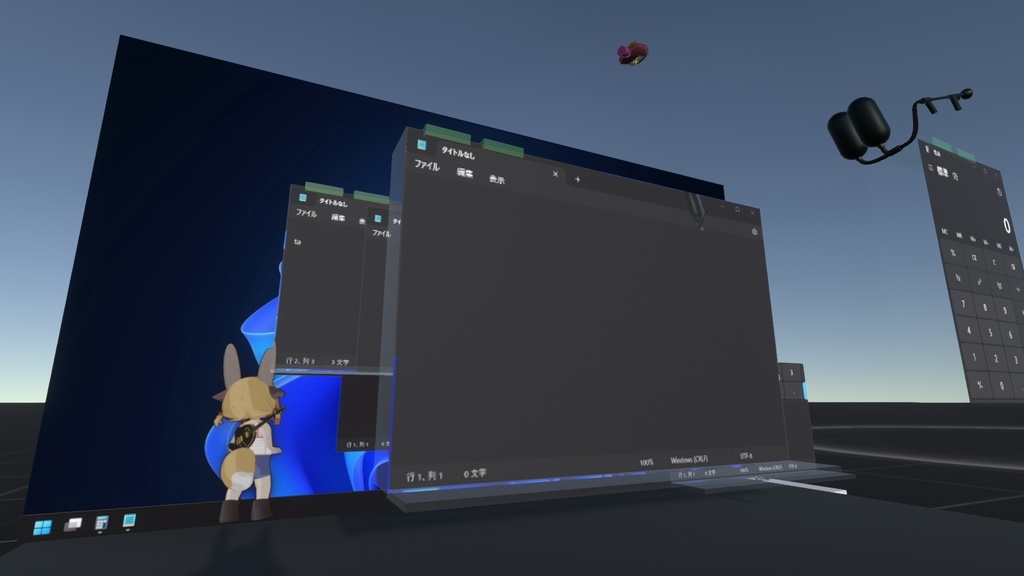
2026-04 旧ResoniteMateをResonite Mate 2に改称し、SPOUTのみの対応に変更しました。 # はじめに modのインストールは自己責任です。よくわからない場合はやめましょう。 本アプリの実行可能ファイル(exe)のダウンロードと実行は警告が出ます。よくわからない場合はやめましょう。 # Resonite Mate 2 (desktop side) 20260404 beta Resonite Mate 2とは - Resoniteの特定のカメラ画像をデスクトップ全体にオーバーレイ表示するためのアプリです 使い方 - ResoniteSpoutが必要です(zozokasuさんのmod) - Resonite側で「Resonite Mate 2 (VR side)」を配置し、START SYNCを押してください - デスクトップ側で「Resonite Mate 2 (Desktop side)」を起動し、Overlay ONにしてください Resonite Mate 2の動作 - 「Resonite Mate 2 (VR side)」のカメラ画像が画面全体にオーバーレイし、黒い部分が透過します - OSCを介してウィンドウ位置やマウスの座標などをResonite側に送信します - Resoniteおよび本アプリは同じGPU上で動作するようにしてください - クリックはすべて透過します(黒背景が透過された状態でないと、誤クリックが発生します) - マルチモニター環境では1つの画面のみが対象です - マウスの位置は穴が空きます(Desktop sideのホイール操作で調節可) 注意 - 旧版ResoniteMateとは違い、ResoniteからのSPOUT出力が必須です - オーバーレイはクリックが透過するため、誤操作に注意してください!!!! - 誤った場合は Alt+Tab、Esc でOFFにできます!!! - タスクバーを自動的に隠すとバグります(謎) - 動作保証はありません - VR side、Desktop side とも最新版をご利用ください How to use - ResoniteSpout is required (a mod by zozokasu) - On the Resonite side, place “Resonite Mate 2 (VR side)” and press START SYNC - On the desktop side, launch “Resonite Mate 2 (Desktop side)” and turn Overlay ON How Resonite Mate 2 works - The camera image from “Resonite Mate 2 (VR side)” is overlaid across the entire screen, and black areas become transparent - Window position, mouse coordinates, etc. are sent to the Resonite side via OSC - Please ensure that Resonite and this application run on the same GPU - All clicks pass through (if the black background is not transparent, misclicks may occur) - In a multi-monitor setup, only one screen is targeted - A hole appears at the mouse position (can be adjusted with the mouse wheel on the Desktop side) Notes - Since clicks pass through the overlay, be careful of accidental operations!!!! - If something goes wrong, you can turn it OFF with Alt+Tab or Esc!!! - If you set the taskbar to auto-hide, it bugs out (for some reason) - Operation is not guaranteed - Please use the latest versions for both VR side and Desktop side
Resoniteのアイテム
Resonite Mate 2 (VR side)の場所は以下のフォルダにあります。 JPチュートリアルワールドからJP Publics フォルダ JP Publics > 個人 Individual > neko3 > ResoniteMate または以下のURLをResonite上で貼り付け resrec:///U-neko3/R-92AB1CB7F940398B2CDC6271D8C45FF3CC7639C10EC8911E8E67A5935B6BCC55
HISTORY
# HISTORY - 20250112 Dev - 20250118 Release - 20250119 Bug fix of right side monitor - 20250120 Bug fix of crash when Resonite is not present - 20250120.2 Status display set to "Overlay ON". ~~When turned on, the Resonite window is set to the rearmost position.~~ - 20250122 Esc to turn off overlay even when Resonite has focus. Transmits mouse button press status. - 20250131 Not set to the rearmost position (20250120.2). Show status on Resonite window. - 20250204 Hide overlap when in another virtual desktop (windows feature Win+Tab). - 20260405 *VERSION 2* SPOUT version